
How to Download TikTok Videos Without Watermark (2026 Complete Guide)
TikTok has over 1 billion active users worldwide, and it's no surprise that people want to save their favorite videos. But every downloaded video comes stamped with TikTok's watermark — a logo that covers part of your screen and makes the footage look cluttered when shared elsewhere. In this guide, we'll show you exactly how to download TikTok videos without any watermark, in full HD quality, completely free — on any device.
Why Do TikTok Videos Have Watermarks?
When you use TikTok's built-in save button, the app deliberately adds a watermark — a translucent TikTok logo and the creator's username — to every downloaded video. This serves two purposes: it promotes the TikTok brand when videos are shared on other platforms, and it credits the original creator.
The problem is that watermarks significantly reduce video quality when re-shared on Instagram Reels, YouTube Shorts, WhatsApp, or other platforms. That's why millions of people search every day for a way to remove TikTok watermarks from downloaded videos.
The Fastest Way to Download TikTok Without Watermark
The easiest and most reliable method is using a dedicated online TikTok downloader like FetchTik. No app installation is required, it works on any device, and it's completely free. Here's how:
Copy the TikTok video link
Open TikTok on your phone or computer. Find the video you want to download, then tap the Share button (arrow icon) and select 'Copy Link'. On desktop, simply copy the URL from your browser's address bar.
Go to FetchTik
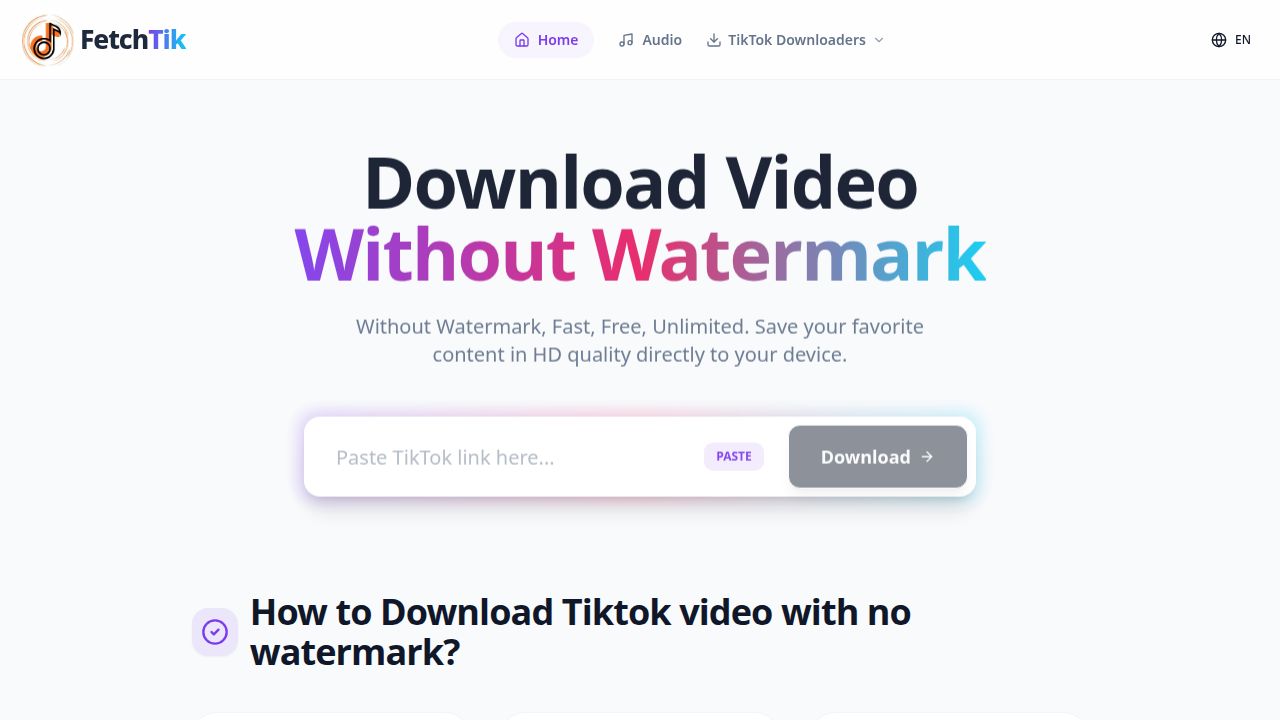
Open your browser and visit fetchtik.com (or just click the FetchTik link below). You'll see a clean download interface with a paste box.
Paste the link and click Download
Tap or click the paste box and paste the copied TikTok link. Then hit the Download button. FetchTik processes the video in seconds.
Choose your format and save
Select the video quality (HD or standard) or choose MP3 if you only want the audio. Click the download button next to your preferred option and the file saves directly to your device.
Downloading TikTok Videos on Different Devices
On iPhone (iOS)
Safari is your best browser for downloads on iPhone. Go to fetchtik.com in Safari, paste your TikTok link, and tap Download. When the video appears, long-press it and select 'Save to Photos' or 'Download Linked File'. The video will save to your Camera Roll or Files app.
On Android
On Android, open Chrome or any browser and go to fetchtik.com. Paste your TikTok URL and hit Download. Tap and hold the download button to save the file. It will appear in your Downloads folder or Gallery app.
On PC or Mac
On desktop, the process is even simpler. Copy the TikTok video URL from your browser, visit fetchtik.com, paste the link, and click Download. The video will download directly to your default Downloads folder.
💡 Pro Tip: Want to batch download? Simply bookmark FetchTik and process each video link one at a time. Our tool supports all types of TikTok content — regular videos, photo slideshows, Stories, and even Douyin videos.
What Formats Can You Download?
- MP4 (HD video with audio) — Best for sharing on other platforms
- MP3 (audio only) — Perfect for saving TikTok sounds and music
- Individual images — For TikTok photo slideshow posts
- Story videos — Save TikTok Stories before they disappear
Is It Legal to Download TikTok Videos?
Downloading TikTok videos for personal use — to watch offline or keep a copy of your own content — is generally accepted. However, re-uploading someone else's TikTok content to another platform without credit or permission may infringe on copyright. Always respect the original creator's work and give credit when sharing.
Frequently Asked Questions
QDoes FetchTik work for private TikTok videos?
No — FetchTik can only download public TikTok videos. If a video is set to private or 'Friends only', it cannot be accessed by any third-party downloader.
QIs FetchTik completely free?
Yes, FetchTik is 100% free with no hidden fees, no account registration, and no download limits.
QCan I download TikTok videos without installing an app?
Absolutely. FetchTik works entirely in your browser — no app, no software, no plugins required.
QHow do I find the link to a TikTok video?
On mobile: Tap the Share button on any TikTok video and select 'Copy Link'. On desktop: Copy the URL from your browser's address bar.
QWhy is my TikTok download blurry?
Some TikTok videos are uploaded in lower quality by the creator. FetchTik downloads at the highest quality TikTok provides, so if the original is low-res, the download will reflect that.
Ready to download your first watermark-free TikTok video?
Download TikTok Video Free